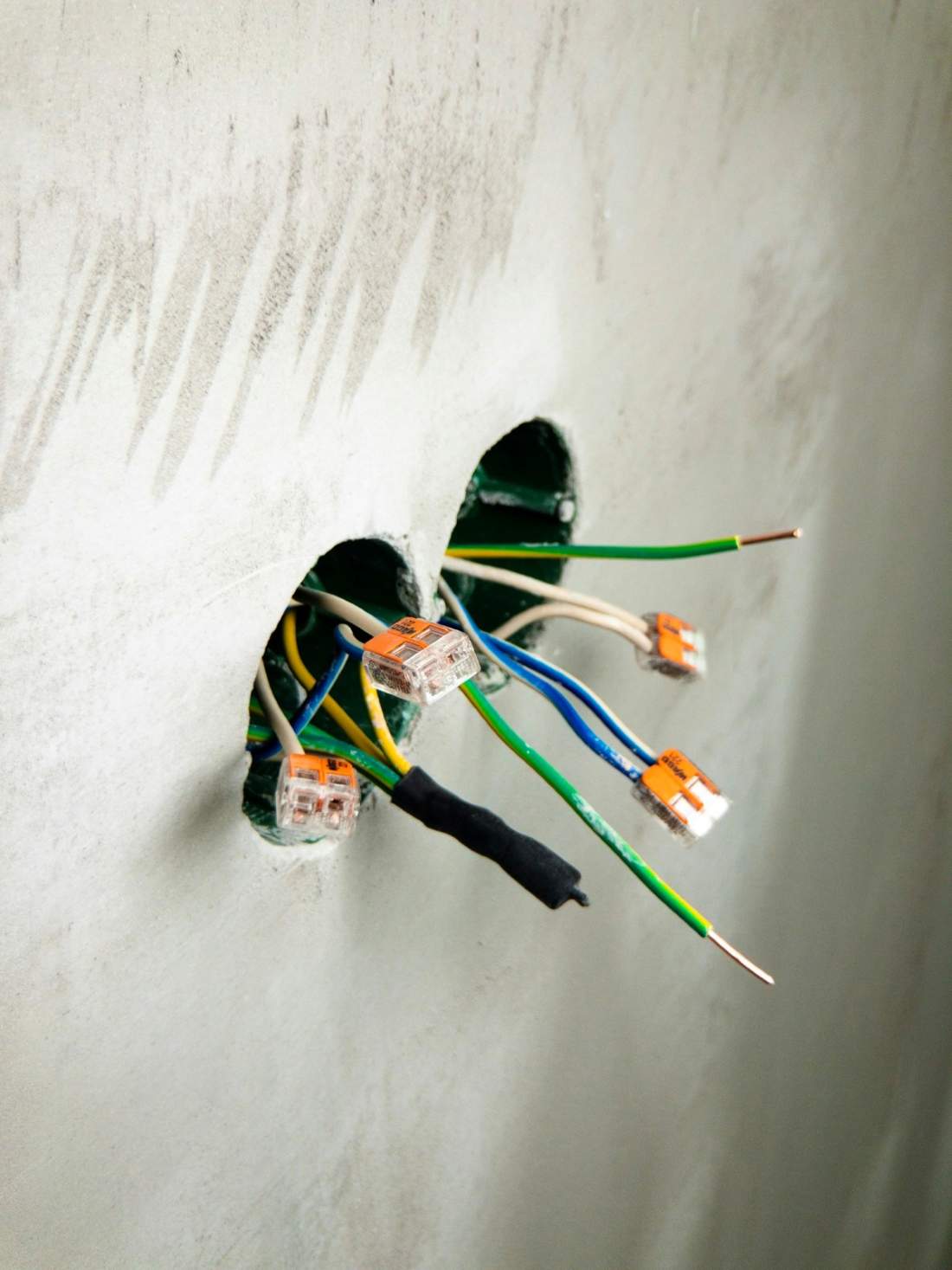
Why pre-wiring services can't wait for trim-out
Cable is cheap while the studs are open. After drywall, stone, and paint, that same pull means opening finished work. A TV can be replaced at trim-out. A speaker can be replaced later. Replacing the wire means cutting into a wall you already paid to close. The homeowner version of this is prewire and design for homeowners.
When SoulCraft needs to be involved
Call while locations on the plan can still move. After the stone is up around the TV, the backing and the shade pockets are already set.
Plans and selections
Mark device locations, the rack, the access points, the shade pockets, and the outdoor zones on the drawings. Move a wrong dot now. After framing, that move is a change order.
Framing and blocking
Block for every TV the owner intends to hang. If there is a media room, block for the screen and for a projector before the ceiling closes. Mark speaker centers. Run conduit through stone, a fireplace chase, or a beam pocket you will not want to open later. Set the TV height with the mount in mind and put wood across the studs there.
Low-voltage rough-in
Pull the cable, label both ends, and land every home run at the rack. The electrician needs the same drawing for keypads, shade power, and panel space.
Pre-drywall walkthrough
Walk the open walls with us and with the homeowner before the board goes up. Photograph the runs while the cable is still visible. A missed speaker shows up then, and the photos are how you find a wire after the wall is closed.
Trim-out, install, and homeowner training
Devices, screens, and the rest of the gear go in after the walls are finished. Then walk the homeowner through what was installed and how to use it.
The room-by-room prewire checklist
These are the pre-wiring services to settle while the walls are open. Each room says what to run and why. Set cable counts on the job.
Equipment location and the rack
Every run on this page comes back to one place. Pick it before anyone pulls cable.
- A spot with room to add gear later. A closet already full of the air handler and holiday storage will not hold a rack.
- Power on a circuit someone can identify without opening three panels.
- Air. Equipment in a sealed closet overheats, and the failure shows up in July.
- Surge protection at the rack, on the gear that actually sits there.
- A path from this spot to the attic or the crawl that a person can still use after the house is finished. Home runs jammed into a chase you cannot reach are stranded.
Network and Wi-Fi
- Place access points from the floor plan and from what the walls are made of. Stone, plaster, and a mirrored gym will stop a single router left in the rack closet.
- If the access point is in a ceiling, that cable is a home run too. Do not plan on a wireless hop through three thick walls.
- Pull a network home run to every TV, every office, and anywhere someone will work or play games.
- Land those runs at the rack. A cable that daisy-chains from room to room, with no labels, becomes a trim-out argument.
- For most homes we use eero. Larger houses and heavier use get a UniFi layout. The cable in the wall is the same job either way. See whole-home Wi-Fi design.
Cable grade and the number of cables in a box are decided on that job.
Living room and TV walls
- A data drop at each TV.
- A video path. A direct cable is fine on a short, open run. Use conduit when the path is long or will disappear into stone, so the next TV does not require a new hole.
- Speaker wire for surround speakers and for a sub if the room is getting more than a bar under the screen.
- Wood backing where the mount lands. Drywall alone will not hold it.
Kitchen, primary suite, and other music rooms
- In-ceiling speaker wire, home-run to the amp at the rack. A coil left in the ceiling still needs a path home.
- If the kitchen or the primary bedroom has a TV, treat that wall like the living room wall: backing, a data drop, and a video path.
- SoulCraft is an authorized Sonos dealer. The wire still has to be in the ceiling before anyone picks the amp. See whole-house music.
Media room or theater
Flag this room at plans. Room shape decides speaker locations, the screen, and a projector if there is one. A soffit in the wrong place means opening the framing. Read the notes on a media room or dedicated theater before the joists are covered.
Windows and shades
Run power and a control wire to each shade pocket before the header is trimmed out. A pocket with no power means opening a finished window. We install Lutron lighting and shades. Order the shade when the window sizes are final.
Doors, doorbell, and cameras
- Cable to exterior cameras that see the drive and the doors people use.
- A doorbell run at the door the guests use.
- Door and window contacts if the alarm will use them. Leave them off the pull if it will not.
How we finish the cameras and the doorbell is on the page for Ring cameras and doorbells. The heads can land after move-in. Pull the cable before drywall.
Outdoor, dock, and landscape
- Patio speakers and an outdoor TV on cable rated to stay outside. See outdoor speakers and TVs.
- A place for the landscape lighting transformer, close enough to power, and a wire path out to the fixtures. See landscape lighting.
- Conduit to a detached garage, a boathouse, or a dock. A long cable with no pipe is the run you get to replace.
Leave a way back in. Put a pull string in any conduit you install. Add spare conduit toward a room that may change use, such as an office that might become a bedroom or a porch that might get a TV. Where a path is already open, pull an extra network run if a later hole would damage finished work.
Low voltage and electrical: why one team matters on the schedule
Low voltage is data, audio, video, cameras, and control wiring. Electrical is line-voltage power, circuits, and panels. They meet at the keypad, the shade pocket, and the rack.
When two companies guess from two sets of notes, the keypad lands on the hinge side of the door, the shade pocket has no power, or the panel is full before the rack circuits are in. One crew and one point of contact keeps those decisions on the same rough-in. That is electrical and low voltage from one team.
Our Georgia low-voltage license is LVT305289. Our North Carolina low-voltage license is SP.FA/LV.37584.
What your buyers will ask about the builder package
You will hear these questions in the selections meeting. Answer by room and by how the owner will use it.
Is the included package enough?
It depends on how they will use each room. Check the network, the space at the rack, and where speakers can actually go. A house with one TV in the great room is a different prewire from a house with two home offices and a TV on the porch. If the package skips the rack space or the access point locations, more speakers will not fix it.
What's worth upgrading before drywall?
Upgrade the infrastructure, in this order: network home runs and access point locations, the rack (power, air, and space), speaker wire in the rooms that will have music, camera and doorbell runs, shade wiring, then conduit to anything you cannot reopen. Have that talk before anyone upgrades the television.
What can wait until after move-in?
The devices. Televisions, amplifiers, camera heads, shade motors, and most of the electronics can show up after move-in when the wire is already in the wall. Do not leave the wire for a later phase.
Lake, mountain, and rural builds: what changes
Clayton, Lake Burton, Highlands, and Cashiers often have no cable at the street, and the runs are longer than on a Buckhead or Chastain Park lot. Build for the lot in front of you.
- If no cable provider serves the lot, plan the dish and the cable path while the walls are open. Where cable does not reach, we install Starlink. The dish needs a view of the sky, a mounting spot that is not an afterthought on a metal roof, and a home run back to the rack.
- Runs to a boathouse, a dock, or a detached garage are long. Use conduit and outdoor-rated cable. Miss it and you are driving back out to the property.
- A camera that has to see a gate at the road needs a cable path that long, in conduit. Wi-Fi from the house will not cover it.
- During construction the house has no service yet. Jobsite Connect cameras and Wi-Fi covers the jobsite from the temp power.
- Put surge protection at the rack. Storms hit these houses, and the gear in that closet is what you will be replacing.
Documentation you should get before walls close
Ask for these before the board goes up, and keep them with the house file:
- A low-voltage drawing or a marked-up floor plan.
- Labels at both ends of every cable, in words a trim carpenter can read. "Kitchen ceiling, left" beats a code only the person who pulled it remembers.
- Photos of the open walls, taken while the cable is still visible.
- A termination list, so the person landing the cables knows what each one is.
- A note of where spare runs and spare conduit end, including the ones that stop in the attic with no device on them yet.
Without that set, the trim crew is guessing, and the next visit starts with a stud finder.
Printable checklist
A superintendent can print this block. It is the short version of the sections above.
- Pick the rack location: power, ventilation, surge protection, and room to add gear. Every other run ends here.
- Network home runs to every TV, office, desk, and Wi-Fi access point.
- A wired home run for each ceiling access point.
- Speaker wire for in-ceiling rooms, landed at the rack.
- TV walls: wood backing, a data drop, and a video path or conduit where the wall will be hard to reopen.
- Media room or theater: speaker, screen, and projector locations set before those spots get covered.
- Shade pockets: power and a control wire.
- Doorbell, exterior cameras, and door contacts if an alarm will use them.
- Patio speakers and an outdoor TV on outdoor-rated cable.
- Landscape lighting: transformer location and the wire path to the fixtures.
- Conduit to a detached garage, boathouse, or dock.
- On a lake or mountain lot, a path for the satellite dish and its cable.
- Labels at both ends, photos of the open walls, and a marked floor plan.
- A pull string or spare conduit toward spots you are likely to use later.
- A walk with the builder and the homeowner before drywall.